Free Chrome extension

Record your screen. As often as you like.

Plainrec is a screen recorder for Chrome with no video limit, no watermark and no account. Your recordings stay on your computer.

Record a tab, a window or your whole screen, with your voice and computer sound.

Plainrec · Your recording is saved
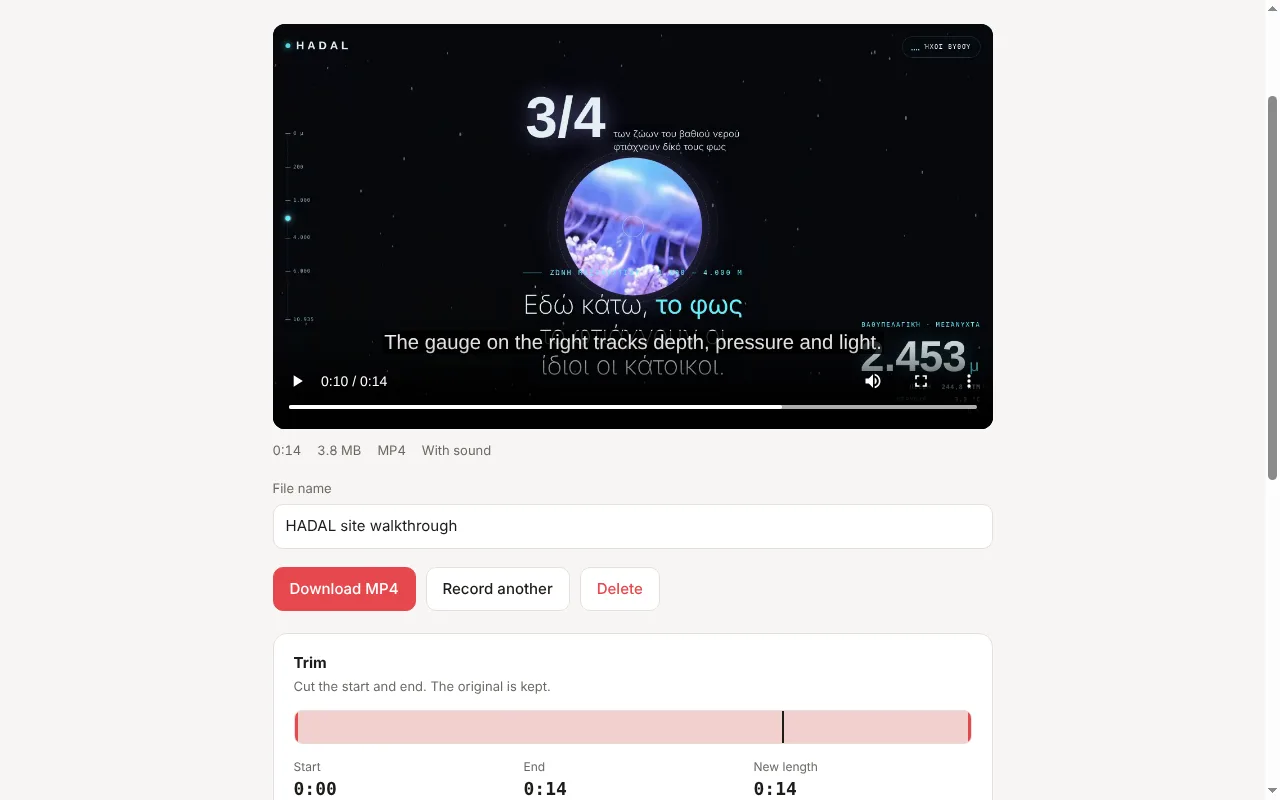
Plainrec showing a finished screen recording with captions on the video and file name, download, trim and caption tools below
No video limitRecord 10 videos or 10,000
No watermarkYour video, nothing stamped on it
No accountInstall it and press record
MP4 filesPlay anywhere, share anywhere
Record

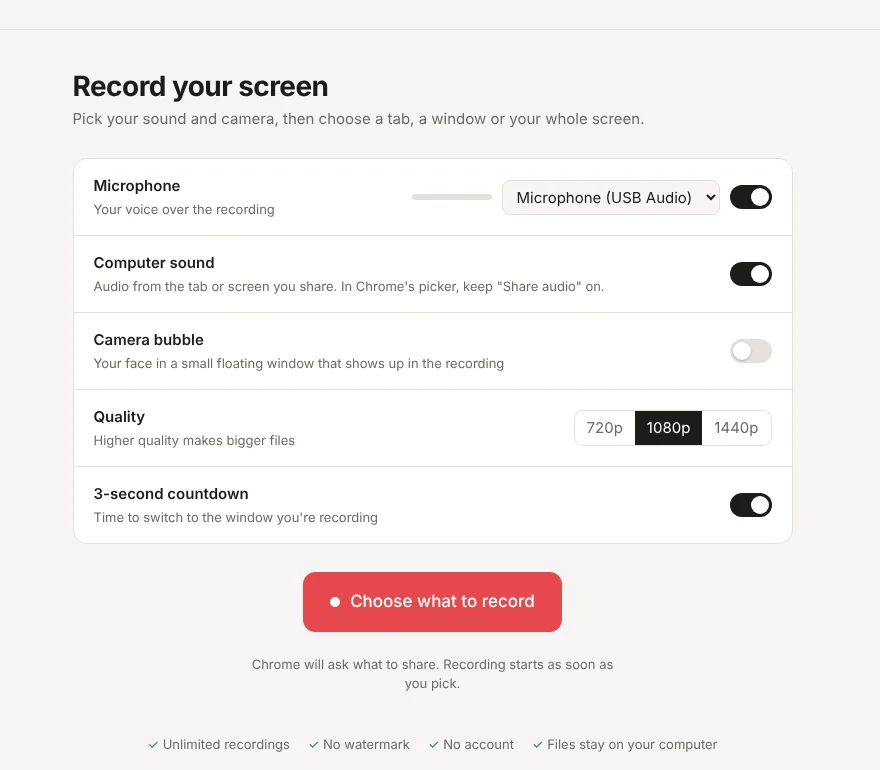
Pick your sound, then pick what to share

Choose a tab, a window or the whole screen in Chrome's own picker. Recording starts the moment you choose.

  • Your microphone and your computer's sound, mixed together
  • A floating camera bubble that shows up in the video
  • Pause, resume and a 3-second countdown
  • 720p, 1080p or 1440p
Plainrec settings for microphone, computer sound, camera bubble, quality and countdown, with the Choose what to record button
Trim

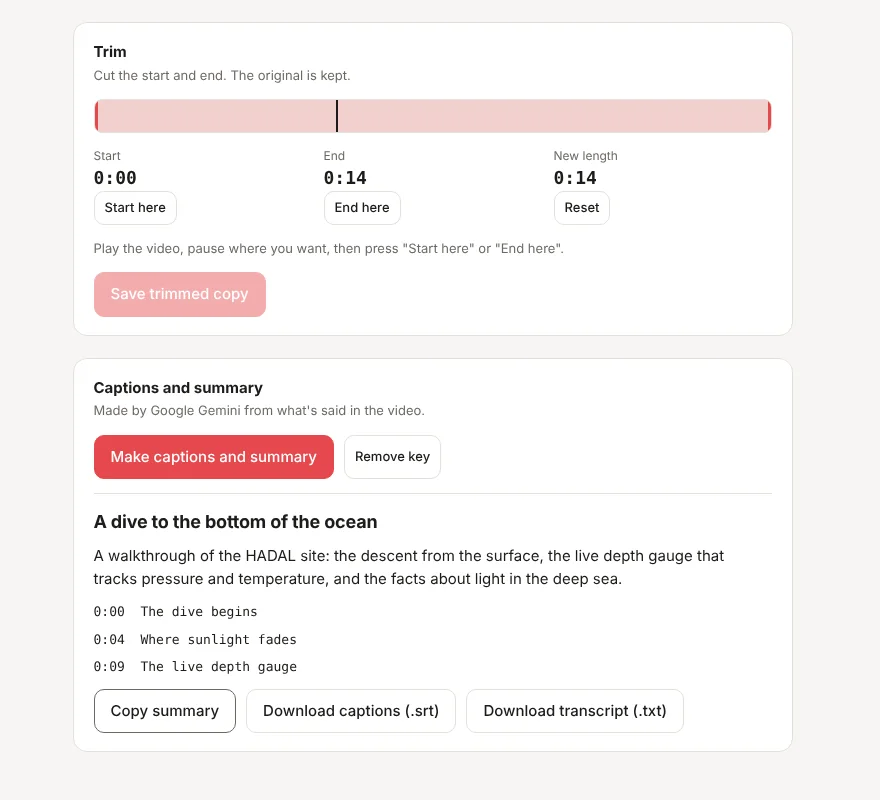
Cut the awkward start and end

Pause where the good part starts, press "Start here", do the same for the end, and save a trimmed copy. The original stays untouched.

Trimming happens inside your browser. Nothing is uploaded.

Trim controls with start, end and new length, and below them a generated title, summary and chapter list
Captions

Captions, chapters and a summary

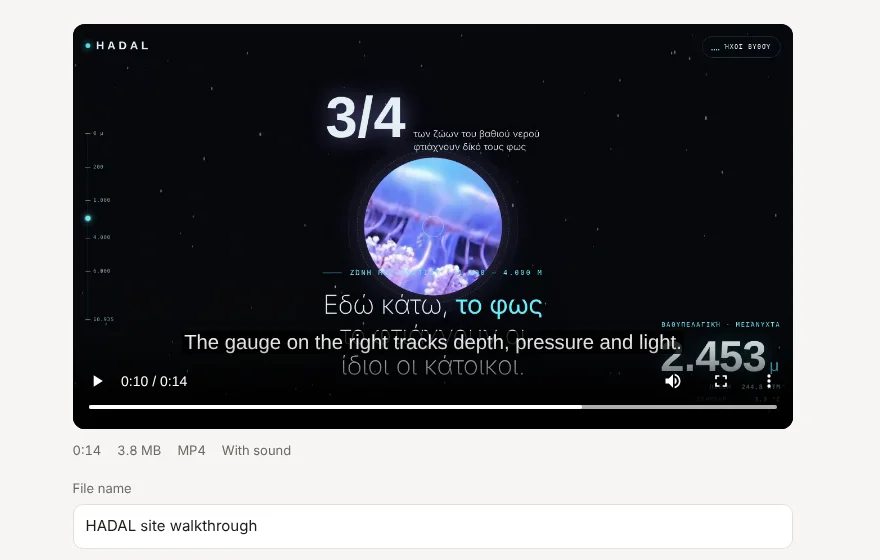
Press one button and Google Gemini writes captions for your video, splits it into chapters and sums it up in a few lines.

  • Captions shown on the video and saved as an .srt file
  • Chapters you can click to jump around
  • Works in the language you speak

Uses your own free Gemini API key. Only the audio of that one recording is sent, straight to Google.

A recording playing with a caption line on the video
Keep

Never lose a take

Plainrec saves your video to disk while you record. If the tab crashes or you close it by mistake, the recording is recovered the next time you open Plainrec.

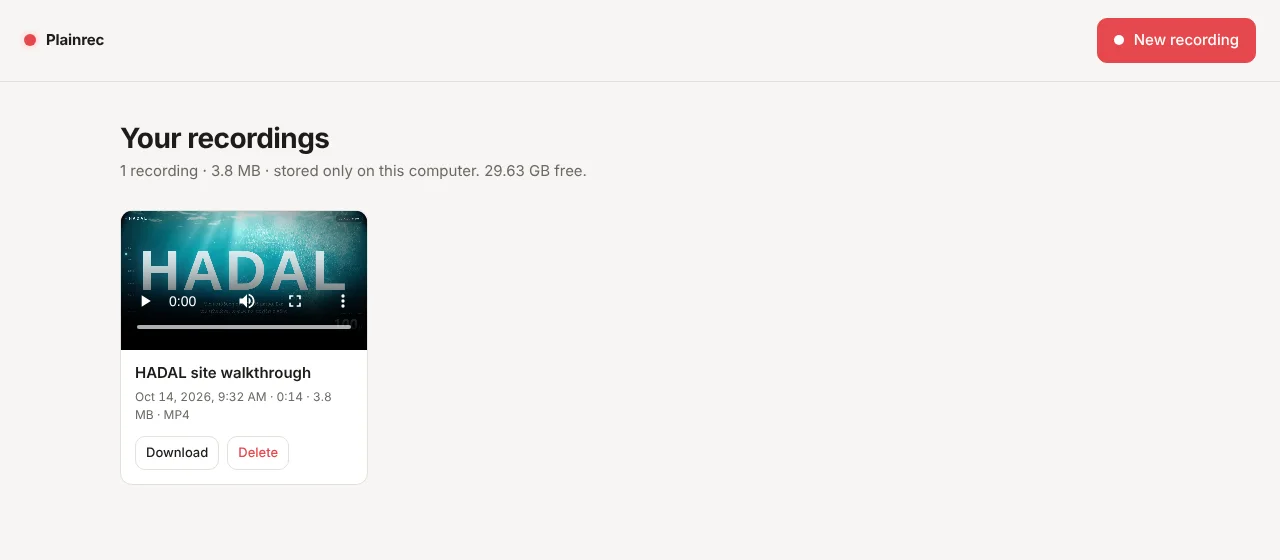
Every recording waits in "Your recordings" until you download or delete it.

Your recordings page listing a saved recording with download and delete buttons
What Plainrec doesn't do

No cloud, no tracking, no ads

It doesn't upload your videos

Recordings are kept in Chrome's storage on your computer. We don't have a server that could store them.

It doesn't watch you

No analytics, no tracking pixels, no data sold. The camera and microphone only run when you turn them on.

It doesn't nag

No sign-up wall, no "upgrade to download", no watermark to remove.

Questions

Good to know

Is Plainrec really free?

Yes. Recording, trimming and downloading are free, with no limit on how many videos you make. If we add optional paid extras later, everything that's free today stays free.

Where are my recordings saved?

Inside Chrome on your computer, in Plainrec's own storage. Download any recording as an MP4 to keep it in a folder. Uninstalling Plainrec deletes the recordings stored inside it, so download the ones you want to keep first.

Why is there no computer sound in my recording?

Chrome only shares sound from a tab, or from your entire screen on Windows and ChromeOS. It can't capture sound from a single window. In Chrome's picker, choose a tab or your screen and keep "Share audio" turned on. Plainrec shows you which sound is being recorded while you record.

Do I need anything for captions?

A free Gemini API key from Google AI Studio. Paste it once and Plainrec keeps it in your browser. When you press "Make captions and summary", the audio of that recording goes directly to Google's Gemini API, under Google's terms.

Which browsers does it work in?

Google Chrome version 116 or newer on Windows, Mac, Linux and ChromeOS.

How do I contact you?

Email plainrec.app@gmail.com. We read every message.

Your next recording is one click away